
Bring what arrives
Paste rows, upload a CSV or XLSX file, or search Shopify products. Keep the customer’s original input in view.
SELL / PRODUCT 01 / PRE-RELEASE
Quick Order turns a wholesale SKU list into a Shopify draft order that your team can inspect before it exists. Bring the customer’s file, resolve exceptions, and keep Shopify as the source of truth.
Merchant team workflow: built and demonstrable in a development store. The App Store listing is not public yet, so this reserved link may be unavailable.
The short answer
A Shopify app that reviews a wholesale SKU list against your Shopify products and creates a draft order for the merchant team. The original SKU remains visible next to the resolved variant, so staff can check the match before a draft is written.
The workspace
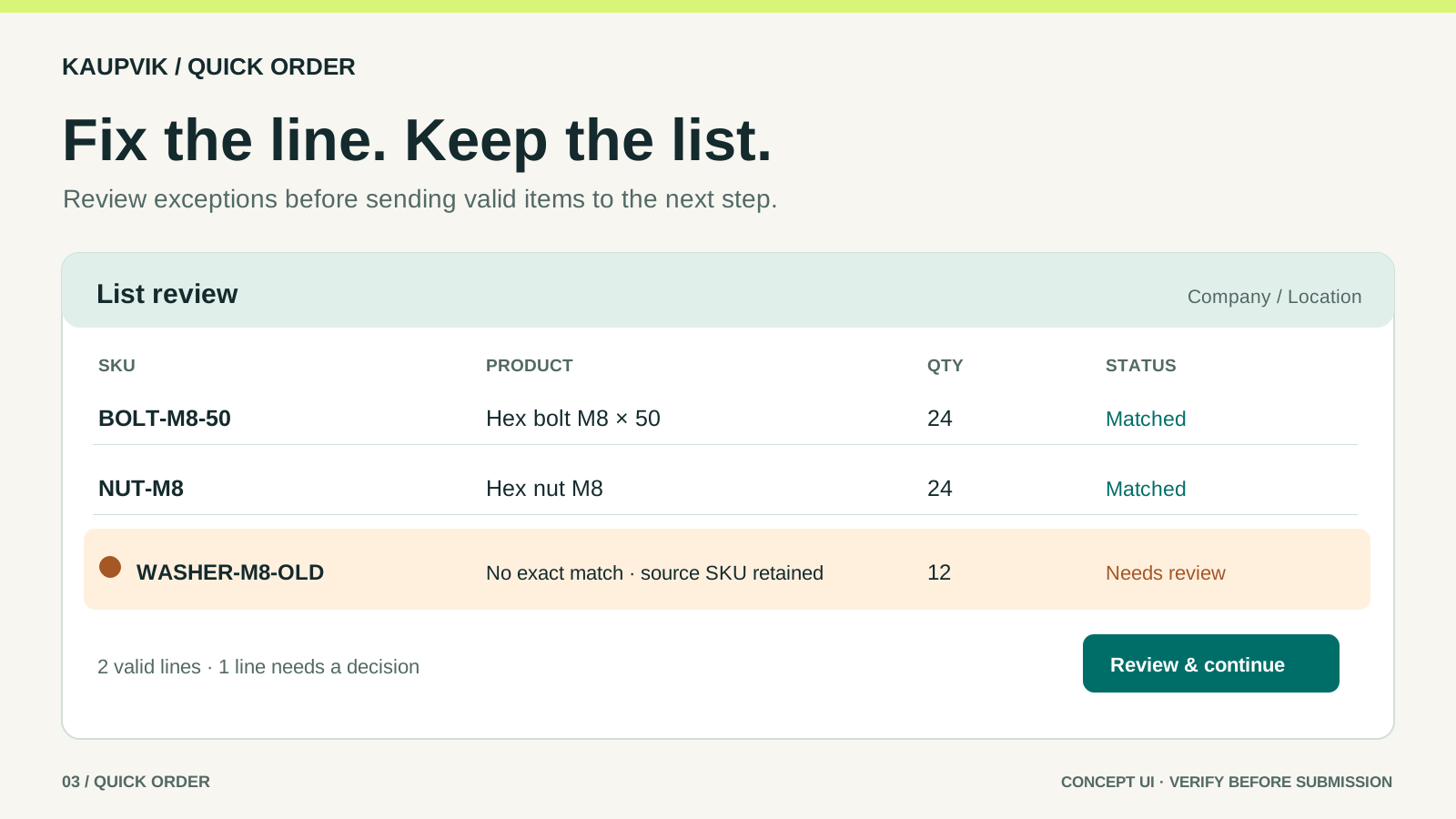
Concept illustrations from the approved brand kit. They explain the workflow; they are not screenshots of a released app.
Built around the moment of review
Paste rows, upload a CSV or XLSX file, or search Shopify products. Keep the customer’s original input in view.
Confirm file columns, inspect exact matches and handle missing or ambiguous SKUs without guessing.
Use Shopify’s company-location context for the relevant catalog and price. Create a draft only after staff review.
The boundary
Quick Order does not replace Shopify’s catalog, price logic, tax, payment or final order workflow. It helps a person translate a list into a reviewed draft order inside Shopify.
The buyer path is not available yet. Availability and release timing are not promised.
It takes a wholesale SKU list — pasted, uploaded as CSV or XLSX, or built by searching Shopify products — matches each line to a Shopify variant, prices the lines in the context of a selected company location, and creates a Shopify draft order for the merchant team once a person confirms the reviewed lines.
It reads products and companies from Shopify and writes draft orders. It does not edit your products, customers or orders.
Shopify merchants who sell wholesale or take a mix of B2B and direct orders, and who regularly receive structured lists from customers or their own sales team. If re-typing a customer spreadsheet into Shopify is already a recurring job, the workflow matches.
Shopify Plus is not a requirement. Multi-location and multi-buyer setups are a strong fit, but a store with one company location and staff-entered orders works too.
The original line is preserved, the line is marked as needing a decision, and near matches are offered so a person can pick the right variant, correct the SKU or skip the line.
A line that is never resolved cannot be submitted as a valid line. Kaupvik does not silently substitute a different product.
No. Shopify remains the source of truth for pricing. A price column in the customer's file is shown next to the current Shopify price so a difference is visible, and the Shopify price is the one that applies.
No. A Shopify draft order is not a paid order. Invoicing, payment terms, taxes, shipping and the conversion into a final order continue in Shopify under the merchant's own settings. Kaupvik does not send invoices or collect payment.
Not yet. The buyer path — signing in to your customer accounts, reviewing a list and adding the reviewed lines to a Shopify cart — is marked In validation on this site. It is published only after the customer-account page hands off a correctly identified B2B cart end to end.
The merchant team workflow is the part that is built and demonstrable today.
Pre-release · Listing coming soon